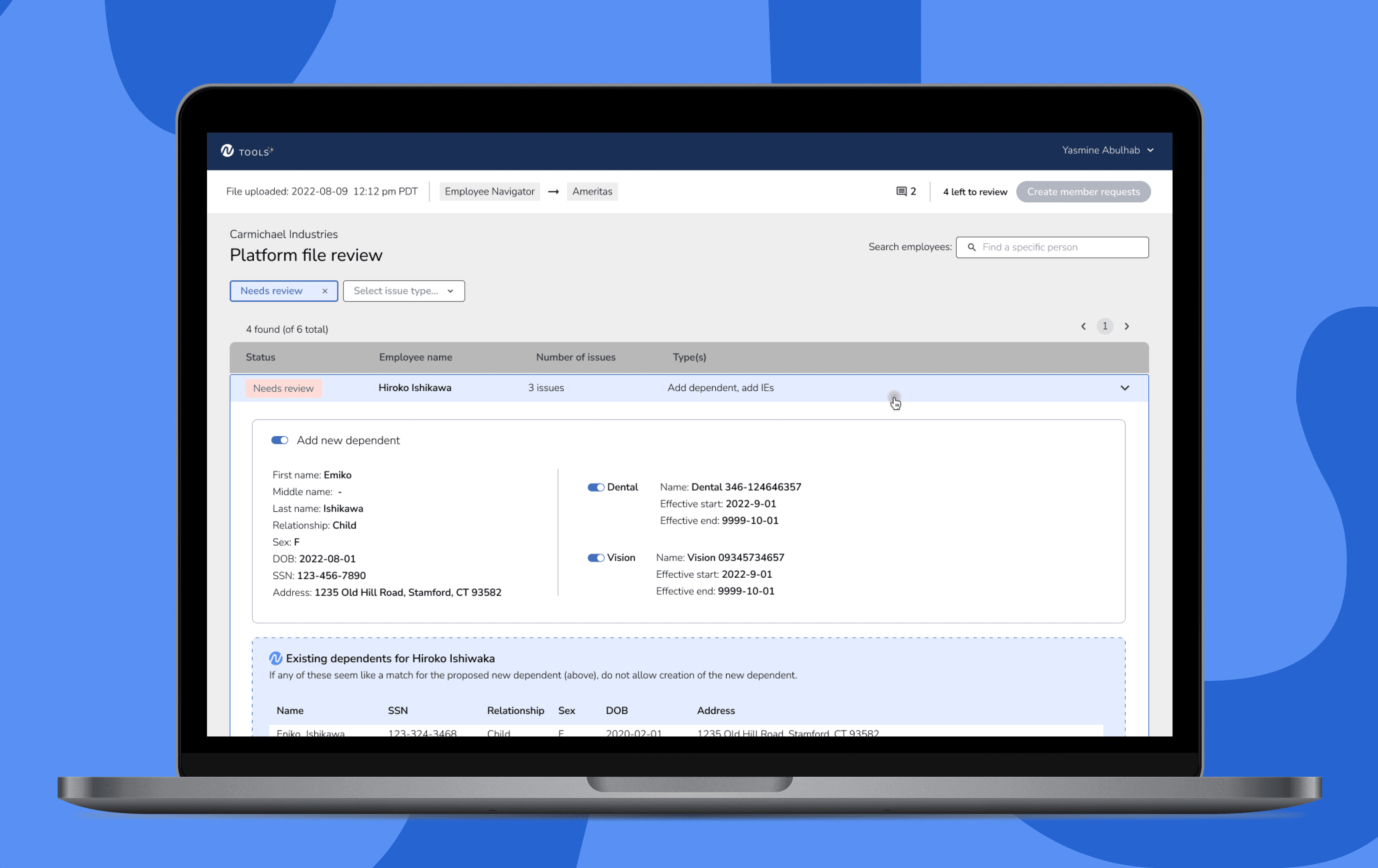
The new tool enabled the Noyo operations team to process enrollment updates faster, with fewer manager interruptions, and a reduced learning curve for new team members. Using a user-research based approach, I solved 4 key usability issues that I discovered in the old tool.
The operations team was struggling with daily file reviews because the existing tool organized updates by "type of update", which obscured related issues and hid the narrative they needed to make decisions confidently and quickly.
The tool was being hosted in Retool, which couldn't handle large file sizes, limited our customization options, and made upkeep difficult for our engineers.
As the Design Lead, I:
Led 5+ observational research sessions
Conducted 5+ moderated usability testing sessions
Created all our mockups in Figma
Collaborated with engineers & product managers to translate our research results into improvements to the tool
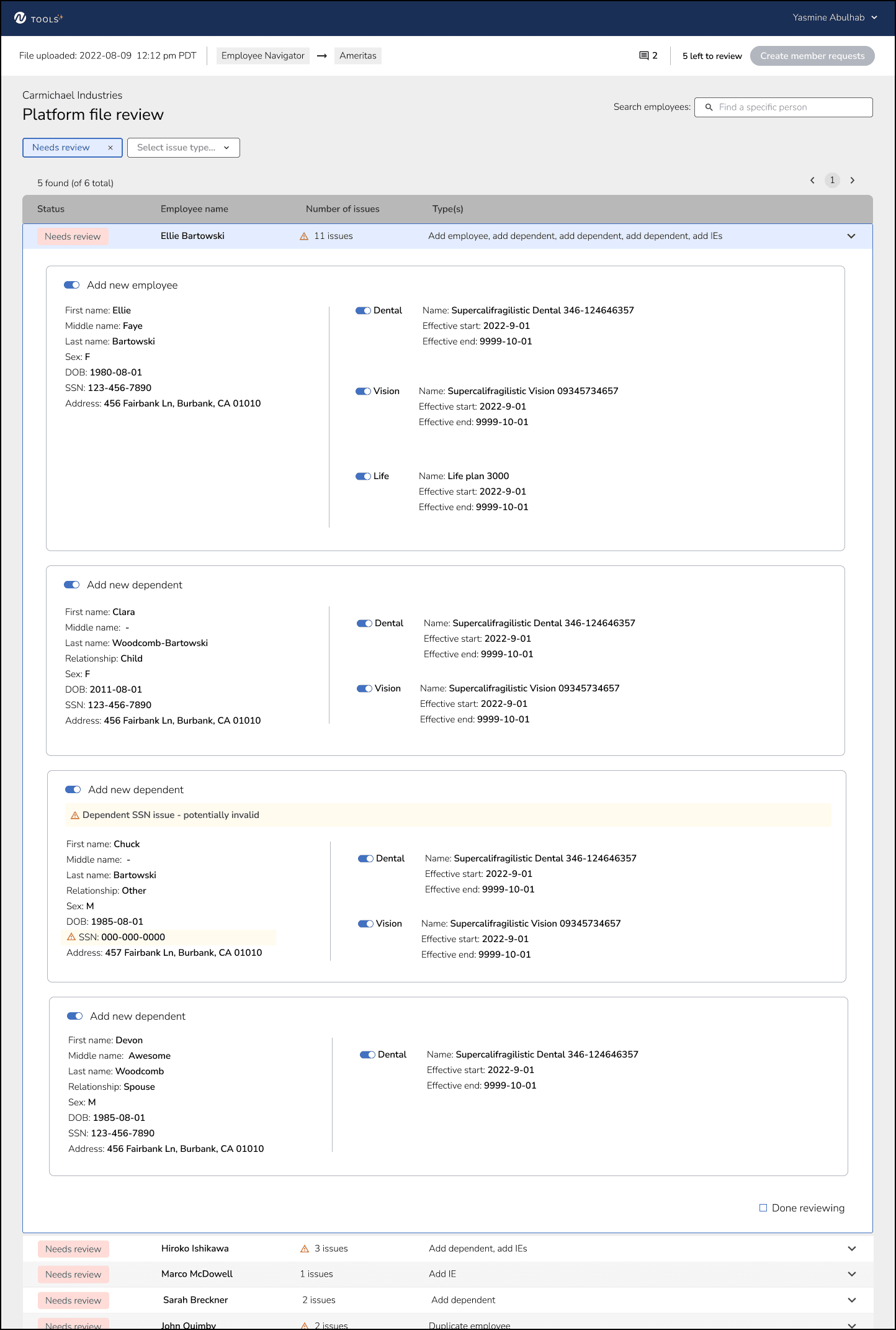
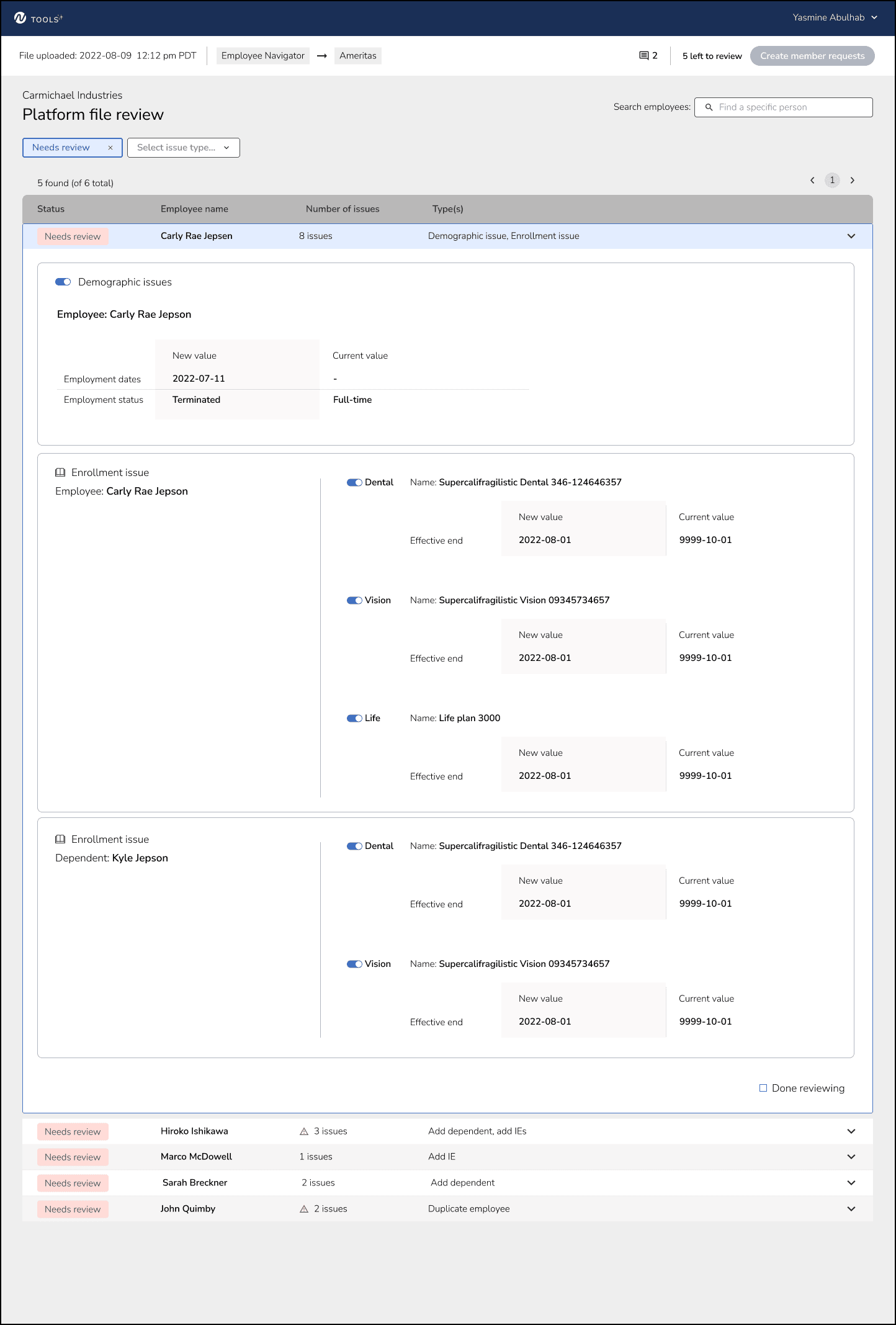
I organized the updates by employee rather than type, which created a clear narrative that allowed reviewers to quickly understand the proposed enrollment updates and make confident decisions.
Category
Re-design
Role
Design lead
Methods
Research, usability testing, interaction design, prototyping
Type
Web app
Process
Discovery & Research
I interviewed each operations team member about their experiences with the review process, then observed them review 3-4 files in the existing tool. After all sessions were done, I synthesized my findings to present and discuss with my team.
Prototypes
I explored a few directions, reviewing each with my team and our stakeholders for feedback. Once we landed on an iteration that we felt addressed the problems we discovered during the observation phase, I handed off the designs to the engineers to begin building the tool.
Usability testing
We opted to test using the actual tool as the prototype, instead of using clickable Figma wireframes, because it allowed us to quickly test real files and compare it with the existing tool.
I organized usability sessions with each user where I asked them to review a file in the prototype and the same file in the existing tool so I could observe. I also asked them questions about how they felt using the tool.
Solution
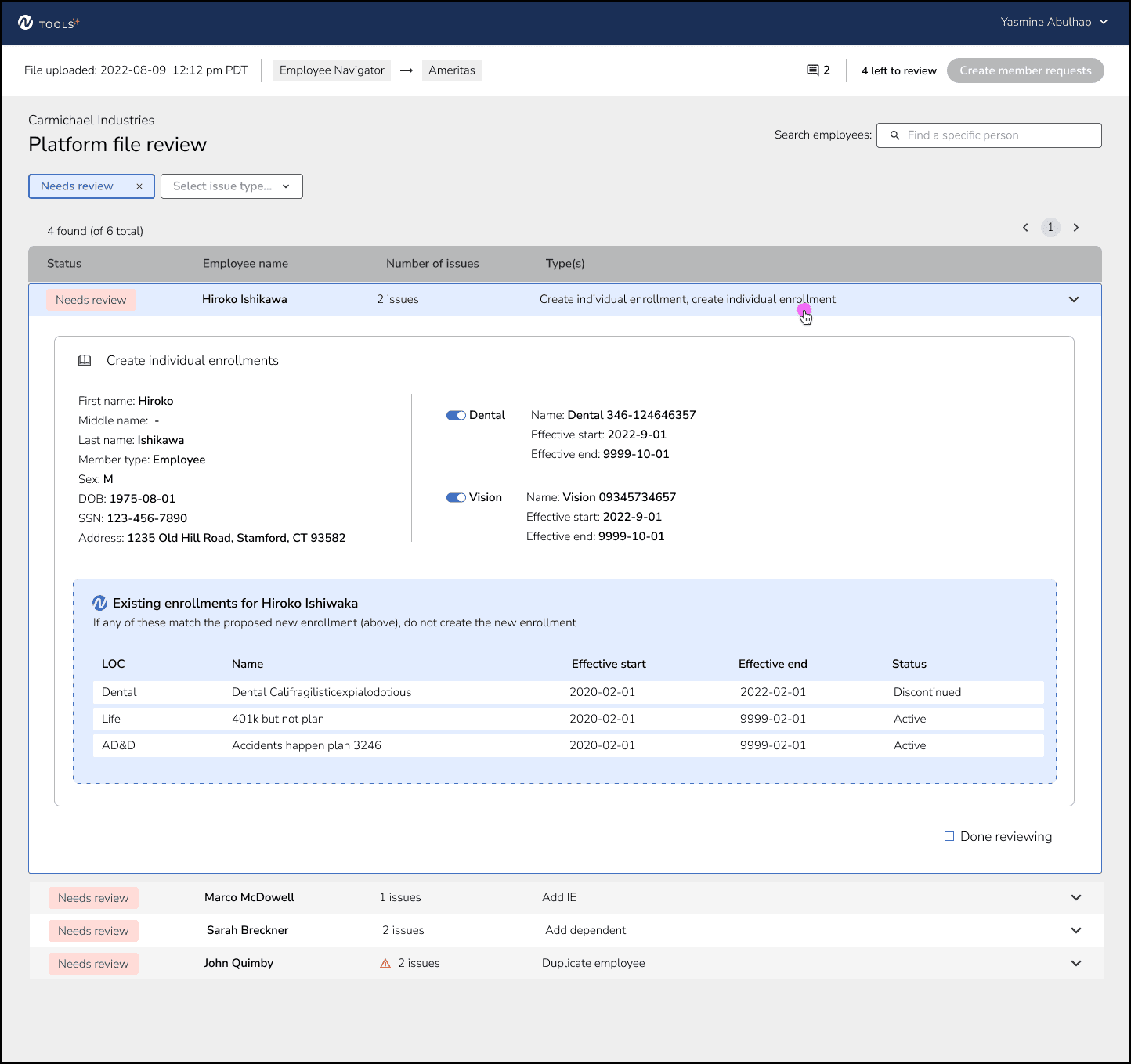
The new tool was faster for the majority of reviews. Reviewers were more confident in the decisions they were making. They did not have so many tabs open in order to make those decisions. We received lots of positive feedback about the side-by-side view of existing and new data.
Key findings from discovery
There was no narrative. Organizing by type of update instead of family updates obscured a narrative that would allow reviewers to quickly connect updates.
Relevant context was hidden. Users had to scroll a lot and open several tabs to find the data they needed to make decisions.
Progress was frequently lost. Checkboxes acted as decision points, and checked "on" by default. If they lost internet or got distracted, users had no way of knowing if a box was checked due to making a decision to keep the item, or checked because they hadn't reviewed it yet.
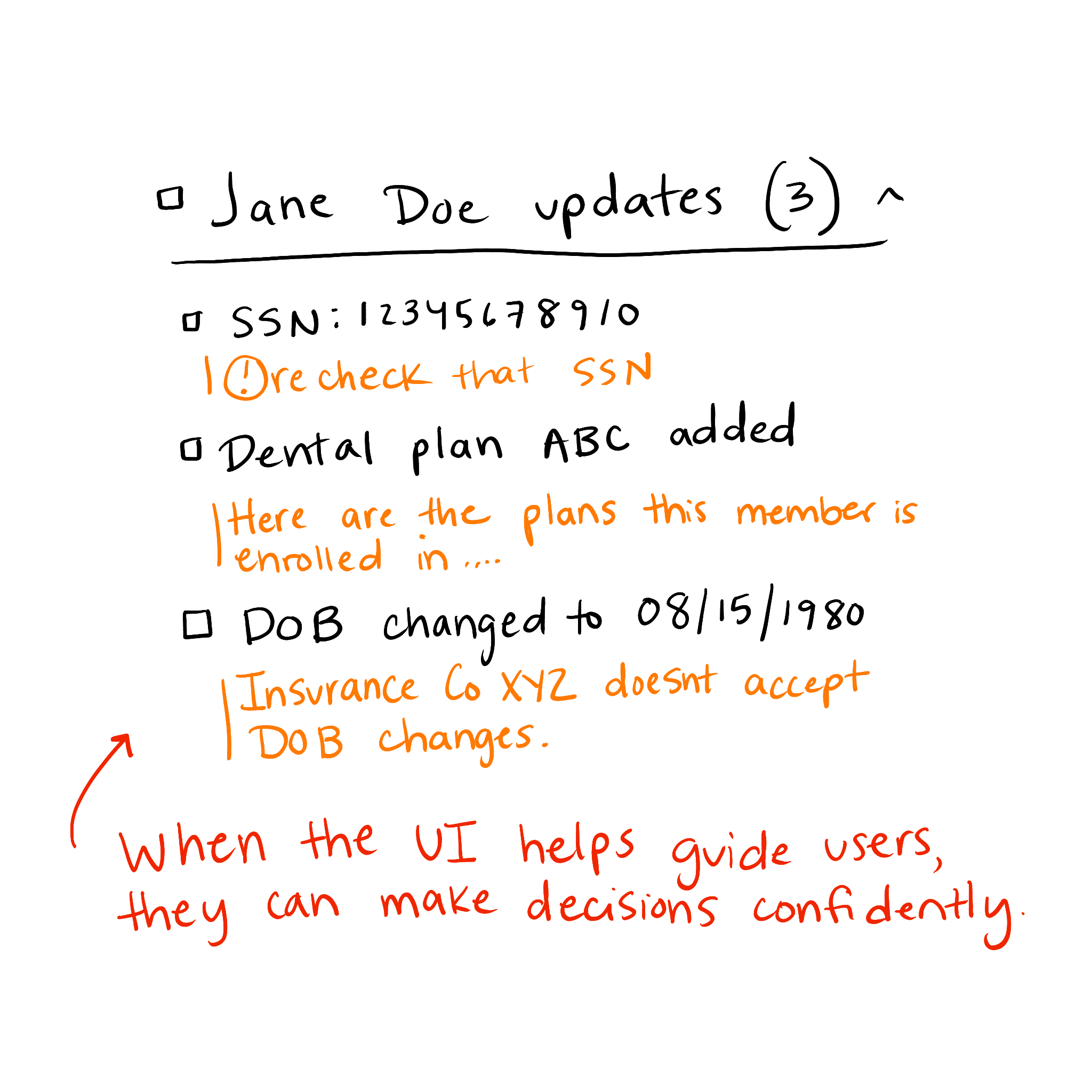
There wasn't enough helpful guidance. New reviewers would ping their managers very often with questions about rules, how to make decisions, and other related questions.
Usability testing results
Grouping by families created the narrative needed for users to scan quickly and understand the updates.
Showing the correct amount of relevant context freed up users from hunting for data. Multiple users commented on how much they loved the side by side view of current and new data.
Adding a "done" checkbox per update grouping, and changing the decision actions to a toggle solved the problem of losing progress.
More tips and guidance sprinkled in the app when relevant allowed users to make more confident decisions without asking their managers questions.
Organizing data by technical models (type of update) instead of human mental models (member relationships) was the primary barrier to efficient decision-making. Reviewers needed narrative flow, not database logic.
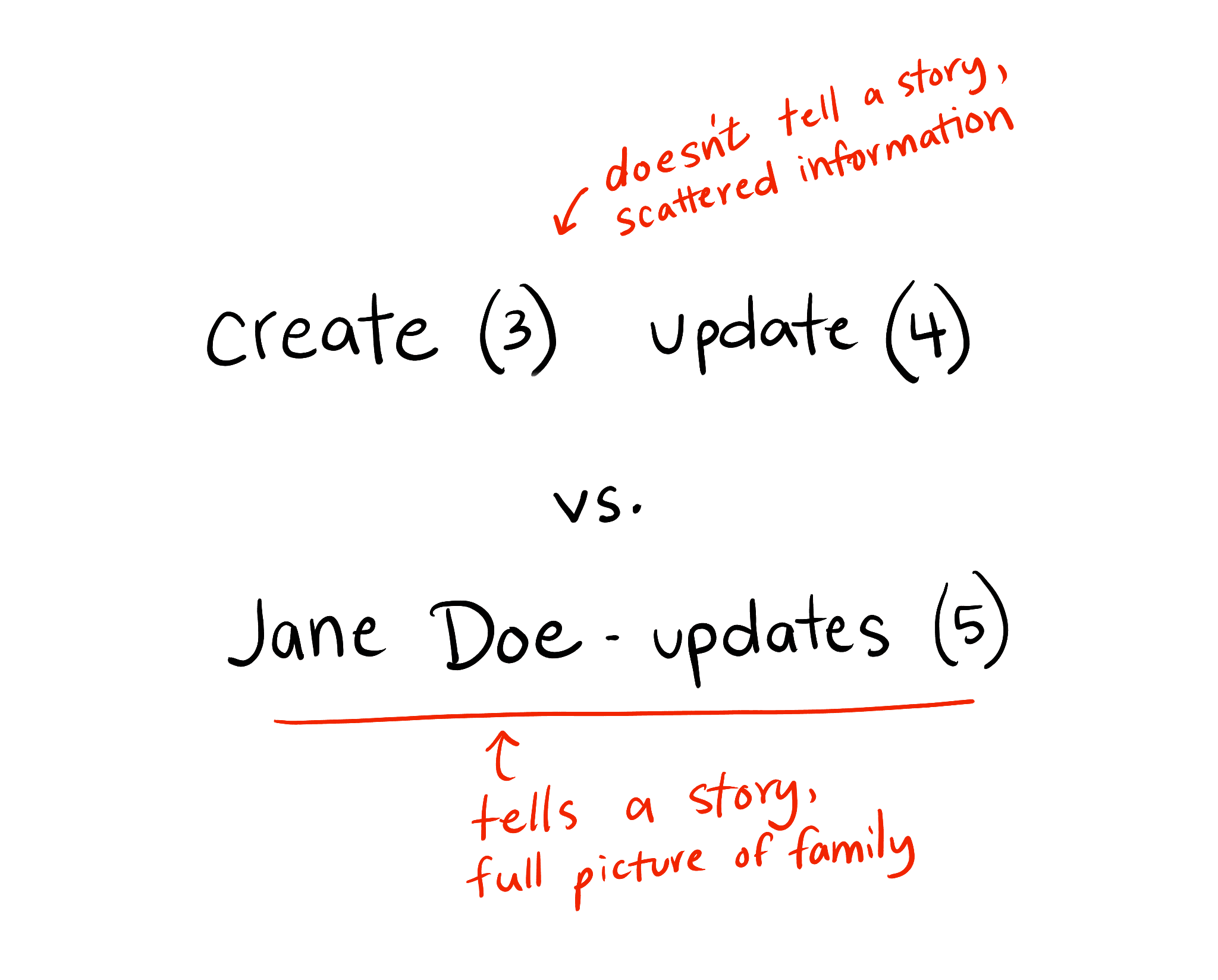
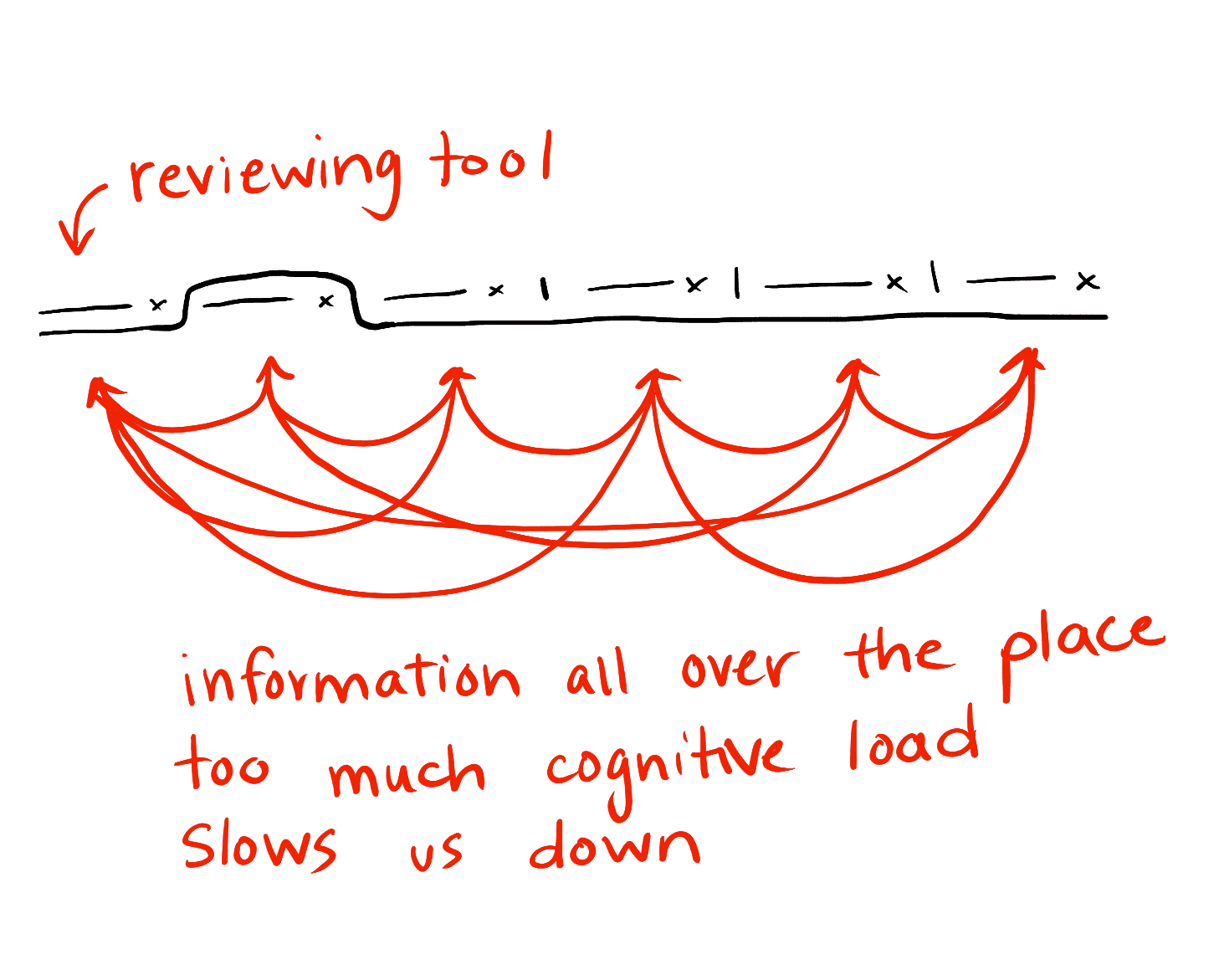
Reviewers had been needing to keep multiple apps open, while reviewing files, to gather context for decisions. Consolidating important information into the new designs reduced their need to context-switch, which lessened their cognitive load and allowed for faster, easier decision-making.
Newer team members struggled most with knowing "what to look for" and remembering the rules for each carrier. Adding contextual guidance and helpful tips directly in the interface reduced manager interruptions and gave newer team members more confidence in their decisions.